


By Scott

What’s Coming Next at Kelby Training Online

Hi Gang: Rather than writing some long blog post about five amazing new online classes we’re developing right now, I thought I’d do a really quick video instead (above). I am so excited about this new stuff, and once you watch the video, you will be too! :)

By Scott

It’s “Pimpy” Thursday

iTunes Cap

We’ve got a lot going on right now at Kelby Media Group, so here’s a quick update:

Last two days left to save $100 off Photoshop World Conference Registration
Just a quick reminder—Friday’s the cut-off for the “Save $100″ Early Bird registration for Photoshop World Vegas (coming Sept 1-3). First, here’s a post I did about the last Photoshop World (in Orlando), with lots of photos. Secondly, here’s the link with all the details, travel discounts, and a link where you can register (I promise, you’ll have a blast!). Thirdly, I hope to meet you in person in Vegas! See you there!

Great Review of David’s Ziser’s “Captured By the Light”
OK, although this review starts with the reviewer giving me some heat for raving about the book so much, within a few a paragraphs, he agrees calling it “one of the best he’s ever read on the topic,” so, (whew!) he kind of lets me off the hook. (Well, kinda). Anyway, it’s a great review over at the Digital Wedding Forum (link).

Catch Corey at the “Photoshop Down & Dirty Tour” in Nashville Next Week!
Our own Photoshop Guy, Corey Barker, is taking our “Photoshop Down & Dirty Tricks” to the Nashville Convention Center next week, on Friday, August 6th. It is truly an amazing day, and I hope you can spend the day with Corey. You’ll learn so much your head will explode (in a good way, if there is such a thing). Here’s the link with details.

My “Photo Recipes App” featuring in the iTunes Store
One of my readers just brought this to my attention—my “Photo Recipes: Behind the Scenes” App (for the iPad and iPhone) has been featured on Apple’s iTunes Store (See above, and Whoo Hooo!). Thanks to the thousands of people have already bought the App, and I’m really excited about it (and the other stuff we have coming soon!). Here’s a direct link.

Photoshop World Pre-Conference Workshop Are Starting To Sell Out
Just a heads up if you’re going to Photoshop World: These optional pre-conference (the day before) workshop are already sold out:

  1. Creating Video with DSLR Cameras
  2. Channel & Masks
  3. On Location Wedding Shoot
  4. The NAPP Photo Safari

The HDR Crash Course workshop will be sold out by Monday as well. Also, in danger of selling out shortly is the “Real World Concert Photography” workshop (only 14 spots left).

One workshop that still has spots left, only because I think it’s totally mis-named, is James Schmelzer’s “Quality of Light” workshop, which is really a hands-on lighting class on shooting incredible Senior Portraits. Jim is a brilliant teacher (one of the best), and his Senior Portraiture classes on Kelby Training Online are a HUGE hit. In fact, if you sign up for his pre-conference workshop and you don’t absolutely just love it, come see me and I’ll refund your workshop registration fee on the spot (I’m that sure you’re going just love it).

You can find out more on the pre-conference workshops right here.

My Lightroom 3 Book is Now in Bookstores
I have a number of questions this past week about my Lightroom 3 Book for Digital Photographers, and I just wanted to let you know that it’s now in bookstores (actually has been for a few weeks now). Here’s a link to a short video with me describing what’s new in the Lightroom 3 version of the book (besides just the obvious new Lightroom 3 features), and you can buy the book right now online at either Amazon.com or Barnes & Noble.com (online, or in their actual stores), or wherever cool Lightroom books are sold.

Kick Butt Tip from David Hobby on D-Town TV
We were very fortunate to have David Hobby (the Strobist Himself), on as an in-studio guest on D-Town TV (the free weekly show for Canon and Nikon DSLR shooters, hosted by Matt Kloskowski and myself), and David has an incredible tip for off-camera flash or location strobe shooters, that uses a camera trick, with a little bit of Photoshop, and it’s really brilliant. Plus, it’s super simple, which makes it even more brilliant. I tried his trick out yesterday on a location shoot I did in Downtown Tampa, I have to say, not only did it work like a charm, but I’ll be using it from now on! (Thanks David). Of course, there’s lots more in this episode (including a great tip for shooting still and video simultaneously from Moose Peterson). Here’s the link.

Cliff Maunter for President
Did Cliff Mautner’s Guest Post totally nail it yesterday or what!!!! Just read the comments (and Cliff’s replies as well), and you’ll see what I mean. His way of looking at wedding photography, and photography in general is really inspirational, and his images capture such depth and emotion. He truly is one a kind. Thank you Cliff for sharing your gift with my readers.

My FREE Lightroom Editing Online Class goes up at 12:00 noon EDT today
If you participated in my World Wide Photo Walk, and you missed my live Lightroom editing online class yesterday (held just for Walkers), don’t worry—we archived the class, and it’s totally free for you—you can watch any time, at your leisure, by going to the World Wide Photo Walk site (link), then log-in to your walker’s account, and you’ll see a replay of the live class. Again, it’s set to up at 12:00 noon EDT today. Thanks to everybody who watched live yesterday and asked some great live questions yesterday. Matt, RC, Nancy, and I had a ball!!!!

NOTE: We’ve got a LOT more TOTALLY FREE live, interactive training classes coming from Kelby Training very soon—more details to come, but I think you’re going to like it. A lot!

There even more happening here…
But I’ve got to hit the sack. Thanks for giving me a chance to share all the new stuff we’re working on with you. I feel very, very fortunate to get to teach for a living, and I’m indebted to all of you I’ve had the pleasure of teaching. Here’s wishing you a totally great Thursday!

By Brad

It’s Guest Blog Wednesday featuring Cliff Mautner

cliffsm

Holy crap. The time has arrived. I’m blogging here today thanks to Matt Kloskowski, who stumbled into my Photo Plus seminar last year. During the presentation, Matt was amused by my ramblings, texted Scott multiple times to come take a look, and presto, I now find myself in unbelievable company teaching for Kelby Training. I was asked to be a guest blogger last fall, but my wedding schedule was out of control – so I asked Brad if I could delay it a bit. Truth be told, I had no idea what to write. Truth be told, I still have no idea what to write, but I suppose I’ll figure something out along the way. When I blog, I blog photographs, not words! I find it pretty darn funny that when someone tells you that you can write about anything you’d like, writer’s block sets in like rigor mortis.

cliff_mautner025sm

I suppose, the first step would be to quickly let folks know who the heck I am, and why I was given the honor of guest blogging for Scott. I’ll work on the former… I’m a wedding photographer in the Philadelphia region, and I’ve been shooting professionally for a whopping 29 years. I’m only 48, so if ya do the math, I started getting “paid” for this stuff when I was a 19 year old college kid. 29 years in professional photography… there’s got to be some conversion we could do – sort of like dog years, only photographer years. It’s just about the only thing I’ve ever done for a paycheck, with the exception of the swell jobs my dad used to get me loading trucks in a meat warehouse in Newark, NJ when I was in college. Man, those jobs sucked, but I learned a ton about life.

cliff_mautner040sm

After 6000 assignments during a 15 year career with the Philadelphia Inquirer, and after 750+weddings (haven’t really counted), I’ve never really looked back, until recently. I’ve been pretty damn fortunate to have made a living pushing a button for all these years. While I was certainly no star in the PJ world, I did get to meet people, see places, and experience things I’m incredibly grateful for. I loved photojournalism, and while you can take me out of photojournalism, you can’t take the photojournalism out of me.

cliff_mautner006sm

When I first started at the Philadelphia Inquirer in 1985, the staff was ridiculously talented. I used to sneak peaks at the negs of some of those I admired most- Larry Price, Sarah Leen, Akira Suwa, Michael Viola, John Filo, Tom Gralish, and so many others. The Inquirer staff was like a Pulitzer factory.  So many great people to learn from, and be inspired by. My beat, generally, was the suburbs of Philadelphia- specifically, South Jersey. Elliot Erwitt once said, “You can take good pictures anywhere, you can even take good pictures in New Jersey.” I’d love for Mr. Erwitt to come to Deptford, NJ to shoot. He may change his mind. However, every once in a while….I’d make a picture I’d really like. Elliot Erwitt remains an inspiration to this day when I’m reminded that sometimes there’s a picture to be made just about anywhere.

776_11-24-07sm

I cut my teeth shooting local news, sports, politics, and features that were incredibly eclectic. Some were fun, some were dumb, some were hard, some were easy, some were sad, some were inspiring. Yet collectively, all were part of a learning process – a cumulative experience that I still call upon. Well, with the exception of the assignment I had in Audubon, NJ… “Cliff, there’s an odor in Audubon, we need art for B-1 tomorrow, go make something, here’s the address”…. Um, huh? A photo of an odor? As assignments go, it wasn’t as bad as my friend Dan Johnson’s assignment when he had to photograph a controversial purple house out of place in an historic district… yes, they ran it in B+W. But I digress.

cliff_mautner005sm

In 1998, after 15 years doing what I loved, The Philadelphia Inquirer and the Newspaper Guild had, well, a little disagreement, and I found myself one of the odd men out. So, I did what several self respecting out of work photojournalists do – I shot anything I could – corporate events, ad work, public relation events, grip and grins, product shots, brochures, and just about anything else for a buck- including a foray into the wonderful, wacky world of wedding photography.

cliff_mautner145sm

I first began shooting weddings with a massive chip on my shoulder. I thought weddings were a bit of a joke, and to some people – maybe those who’ve never shot them – they still are. However, I quickly learned that besides the fact that they were NOT a joke. The moments I was able to capture for my clients were incredibly satisfying to both the client, and myself. It didn’t take very long before I was able to plant my feet firmly on the ground from a business standpoint- developing strong relationships with venues, floral designers, musicians, and other photographers – all of which are essential to the success of anyone in the wedding biz. However, I felt like it took some time for me to evolve photographically.  I mean, I was pleasing my clients, and I was making some money, but it wasn’t until I began to learn how to use light that my style began to evolve.

035sm

Evolution! That’s what I’ll blog about! It only took me several paragraphs of rambling nonsense, but I’m on it. Now, I’m the first to admit that some wedding photographers take themselves, and their work, way too seriously sometimes. Nonetheless, it’s still an important genre to those who need us most- the families we work for. When I first began shooting weddings, I thought I was doing pretty good work. I’d pick out 15-20 images from a wedding and included them into whatever marketing attempts I was making.

020sm

A year or two later, I was selecting fewer and fewer images to include into my portfolio. As the years passed, it took so much more to make the cut. A few years after that, I found myself selecting fewer and fewer images from each wedding to include into a portfolio. Jump to today. It takes quite a bit to satisfy me now. I work my ass off each and every wedding. However, I may only LOVE a few select images in an entire year. Now, before you jump to the conclusion that I completely suck, you must first understand that as time passes, as your work evolves, and as you become more critical of your own work, your standards are set by what you’ve accomplished in the past. This, in turn, makes you better, and more consistent as a professional. The few images I make per year that I love are what keeps me going in this business. If I can make one or two during the year, I’d consider it a pretty good year.  Just the feeling I get – the spine chilling sensation that occurs every blue moon – is more than enough to remind me that I thoroughly continue to LOVE being a photographer.  I don’t care whether you’re a commercial shooter, portrait shooter, or product shooter, the feeling is the same. The feeling that you just created something special. I mean, that’s why you’re even reading Scott’s blog to begin with – the passion we have for the craft.

024sm

With this mantra, hopefully, the level of work I produce continues to evolve. I strive to reset my standards week in and week out. In essence, if I became completely satisfied with my work, I’d never evolve. The lesson here, in a half serious tone, is to hate your work sooner, rather than later! You’ll evolve faster, I promise.

Now, please don’t interpret any of this to mean that I hate everything I shoot. That’s not my message. On the contrary. It’s more about a search for the photographic holy grail – something you’ll never find. If you do, it’s time to quit. That’s my message, in a nutshell. I’ve selected a few wedding images below that I still like quite a bit, and hopefully that some people will even remember.

021sm

Evolution of style means so many things to so many different photographers. In my opinion, the only way to develop your style is to make sure your technical abilities and fundamentals are completely, and utterly innate. Your camera needs to be an extension of your mind’s eye. If you’re too concerned with F-stops, shutter speeds,  ISO’s, focusing, and achieving accurate exposures, you’ll NEVER develop a style. If you find yourself struggling with the basics, you’ll struggle even more with composition, and other elements that make up your style. And, don’t even get me started on the subject of light. I mean, heck, light is everything. Joe McNally, a man who I admire a great deal says it best when he talks about “the language of light”. Talk about inspiration… Go see this man speak, BTW. Anyway, light is just about everything in photography. That is, everything AFTER you’ve taken care of the small stuff – exposures, lens selection, composition, and all of that other insignificant stuff. I try to create texture, dimension, and mood with my lighting. That’s what I find compelling. That’s what I try to teach.

018sm

001sm

014sm

017sm

cliff_mautner033sm

cliff_mautner044sm

cliff_mautner147sm

cliff_mautner151sm

cliffmautner19sm

My goal as part of Scott’s online training team is to help empower photographers with the skillset needed to go after a style of their own. The wedding photography industry is chock full of homogenized work, and if you’re going to survive in this business, it’ll take more that a fancy blog and social networking to keep paying the bills. My friend David Williams, terrific photographer and educator from down under, preaches “skillsets before action sets”. I developed my Lighting and Skillset Bootcamp to teach just that. I’ll be sharing whatever I can with the Kelby team to drive that same message home.  I hope I’ve connected with at least a few of you out there, and I can’t thank Scott enough for the opportunity he’s given me.

You can see more of Cliff’s work at CMPhotography.com or keep up with him at his blog. And if you’re a Kelby Training Online subscriber, check out his class The Essentials of Wedding Creativity that just went up a few days ago!

By Scott

The Photoshop World “Save $100″ Early Bird Special Ends Friday

vegas2

That’s right—-the Early Bird Special is almost over (it ends Friday), so if you’re thinking of joining us in Vegas on September 1-3, 2010 for the Photoshop training event of the year, this is your chance to save $100 right up front.

This year I’m teaching three classes during the conference:

(1) Lightroom Killer Tips

(2) Down & Dirty Tricks, 2010

(3) Designing With Type 2010

Plus, I’m doing at talk called “Studio Lighting Techniques: Behind the Scenes” at the Manfrotto booth on the Expo Floor (by the way—we’re breaking our record for number of exhibitors this year in Vegas, which means there will be more cool stuff on the show floor than ever, plus this is a selling show, so there will be lots of “Show Special” deals all three days.

If you’ve never been to Photoshop World, go to this link, and hit the “Watch” button. If you want more info or to sign up, click right here. Hope I see you in Vegas!!!! (Sign up before Friday and save some cash!).

P.S. We have the best deal ever on hotel rooms at our Official Conference Hotel, the Mandalay Bay Resort & Casino, so if you want to stay where me, Matt, Corey, RC, Dave, and all the instructors and staff are staying, snag your rooms using our special discount code. That’s right here.

By Brad

Photo Walks from Around The World

Hi Gang: I wanted to share some World Wide Photo Walk group shots from around the world, but first, you’ve gotta check out this video, shot during Saturday’s Photo Walk in Munich, Germany. It was shot with a Canon 7D, and the quality of video, quality of camera work, and editing is just really fantastic. I was so impressed!!!!

Anyway, watch this video first, and then take a look at some of these wonderful group shots from all over. Seeing these group shots is one of my favorite parts of all of this, and I hope you enjoy them, too.


Munich, Germany

Antwerp, Belgium
Antwerp, Belgium

Belfast, Northern Ireland

Brisbane, Australia
Brisbane, Australia

Buffalo - Annie Levaysm
Buffalo, New York, USA

Cape Town SAsm
Cape Town, South Africa

Chesapeake City,MD - Wayne Camlinsm
Chesapeake City, Maryland, USA

Cincinnati, Ohio
Cincinnati, Ohio, USA

CSpring_PWalk
Cold Spring, New York, USA

Columbia, SC
Columbia, South Carolina, USA

Cumberland,MD - Bill Merlavagesm
Cumberland, Maryland, USA

Daggett, California
Daggett, California, USA

Danbury CT - Tom Petersonsm
Danbury, Connecticut, USA

Englewood, NJ
Englewood, New Jersey, USA

Faded and Blurred, California
Faded and Blurred Group in Southern California, USA

Fairhope, Alabamasm
Fairhope, Alabama, USA

Fells Point,MD - Stacie Morrissm
Fells Point, Maryland, USA

Fredericton NB, Canada - Aaron Cushingsm
Fredericton, New Brunswick, Canada

Ft Wayne, IN - Rick Stemmlersm
Fort Wayne, Indiana, USA

Geelong Waterfront, Australiasm
Geelong Waterfront, Australia

Greenport, NY - RichardPsm
Greenport, New York, USA

Greensboro NC (Bicentennial Gardens - Evan Brennansm
Greensboro, North Carolina, USA

Johnstown, Ohio
Johnstown, New York, USA

Juarez, Mexico
Juarez, Mexico

Kenosha, Wisconsin
Kenosha, Wisconsin, USA

2010 Kissimme Photowalkers
Kissimmee, Florida, USA

LA (Little Tokyo) - Frank Wisesm
Los Angeles, California, USA

Loveland, Colorado
Loveland, Colorado, USA

Manteo, NC - Matt Gibsonsm
Manteo, North Carolina, USA

Melaka (Downtown) Malaysia - Neoh Soon Huengsm
Downtown Melaka, Malaysia

Mendoza, Argentina
Mendoza, Argentina

Northport, New York
Northpoint, New York, USA

Omaha - Gary Prillsm
Omaha, Nebraska, USA

Ottowa (The Market) - Justin Van Leeuwensm
Ottowa, Ontario, Canada

Peoria, IL
Peoria, Illinois, USA

Portland (Oaks Park) - Laurie Excellsm
Portland, Oregon, USA

Providence, RI - Mark Davissm
Providence, Rhode Island, USA

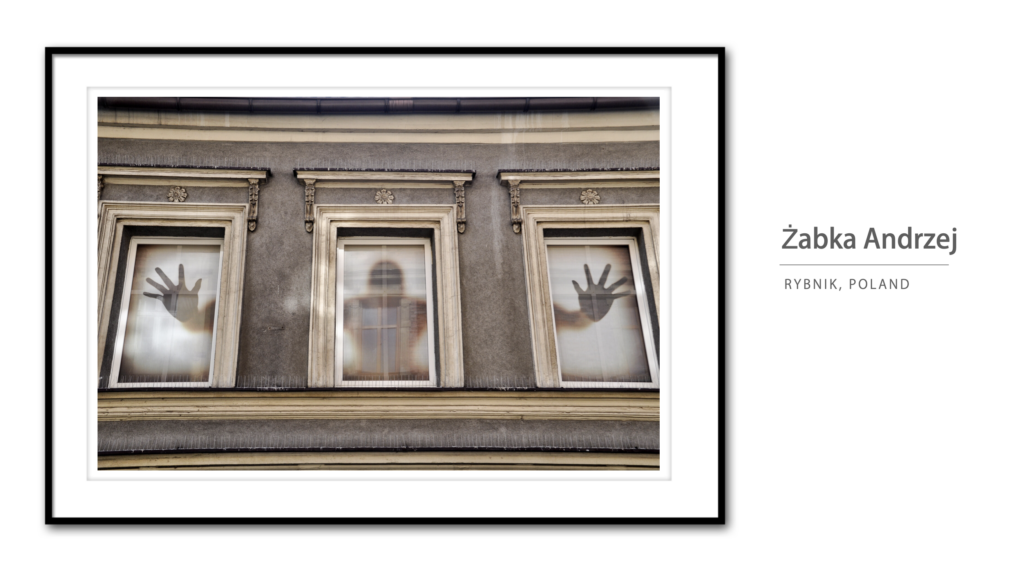
Rybnik, Polandsm
Rybnik, Poland

Salmon, Idaho - Jerry Slaglesm
Salmon, Idaho, USA

Salt Lake City (City Creek Park) - Nicole Youngsm
Salt Lake City, Utah, USA

Samford, Florida, USA

San Juan, Puerto Rico

Santiago, Chile
Santiago, Chile

Scott Kelby's Worldwide Photo Walk S?o Paulo [2010]
Sao Paulo, Brazil

Slovakia - Edmund Orzsiksm
Dunajská Streda, Trnavský kraj, Slovakia

South Lake Tahoe, CA - Jim Stamatessm
South Lake Tahoe, California, USA

Spartanburg, SC - Ken Toneysm
Spartanburg, South Carolina, USA

Staten Island, New York
Staten Island, New York, USA

Tallahassee 2010 Photowalk Group
Tallahassee, Florida, USA

Foto de grupo
Tarragona, CT, Spain

Tokyosm
Tokyo, Japan

4824712486_03c445f135_z
Washington, DC, USA

Windsor UK - Glyn Dewissm
Windsor, United Kingdom

By Scott

Making Photographic History For The 3rd Year in a Row!

tarpongroup

Another amazing walk is in the record books. Over one thousands cities around the world coming together as one big community to share our passion for photography and people. What an incredibly fun day!

I still am amazed after I return from leading my walk (this year, in Tarpon Springs, Florida at their famous Sponge Docks, part of a wonderful Greek community that has blossomed in the Tarpon Springs area), when I sit back and watch all the reports and photos coming in from every part of the world. It just simply boggles my mind, and puts a huge smile on my face to know that we all shared in something really special on Saturday. Millions of photos were made that day that never would have been made, and lots of new friends were made along the way, which is what it’s really all about. (Photo below, taken during the walk, by Jose Ramos).

walk3sm

Catch My Free Online Class Just For Photo Walk Participants
I’m doing a FREE online class about photography and my Lightroom 3 editing workflow, and everyone that participated in the walk is invited (look for the details in your email by tomorrow).

Don’t worry; if you can’t make the workshop at 10:00 am, we’ll repost the entire session for free so you can watch it when you want (but we’ll be taking your questions live during the live webcast).

gridsm

Here are some of the shots (above) I took during the walk, and I’ll be going over my editing of those very images during the Webcast on Wednesday. Hope you can make it.

This, I Didn’t See Coming
I was blessed with a really great group of people, and the heat didn’t totally kill us because we had a decent cloud cover most of the time. The people of Tarpon Springs couldn’t have been more accommodating—leading us to points of interest, posing for us, inviting us in their historical buildings and shops to take photos—-it really was a wonderful experience. But this, I didn’t see coming.

snake1sm

Yup, that’s about a 10 foot Albino Boa Constrictor snake my photo walkers are photographing above. There was a small aquarium near the end of my walk route, and one of the snake handlers at the aquarium had this puppy outside in the back parking lot sunning himself, and he invited us to take some shots.

snake2sm

Here he is again (above), thinking he’s found a mate in a coiled up water hose.

walk2a

Here’s one of my walkers above using a Gorilla Pod rig to shoot some HDR shots during the walk. The area we shot in had lots of rusty old boats, and old buildings and such, so it was an HDR shooter’s paradise.

walk1asm

I have no idea what she was shooting (above), but it must have been worth it. Maybe it was a baby Albino snake. ;-)

Hellas

That’s one of our many tables at the incredible Hellas Greek Restaurant, our walk ending spot, where we had authentic Greek food that totally rocked! (photo above by Jose Ramos).

Send Me Your Group Shots and Video Links
Tomorrow I’ll be posting group shots and videos from all around the world, so if you haven’t already sent me your group shot (or video link), just post it here on the blog, and I’ll download the image and post it tomorrow.

Link to the Group flickr Pool
Want to see some of the amazing photos pouring in from all over the world—check out the flickr group pool right here. (Also, if you were a part of walk, don’t forget to post some of your shots to your local flickr group page). :)

On Twitter search for Hashtag #WWPW
It’s wild to see all the comments posted during live photo walks from every corner of the globe.

  • My thanks to everyone who attended my walk in Tarpon Springs, and who participated in other walks around the world. I really had a lot of fun, and I hope you did, too!
  • A big, big thanks to all the volunteers who organized and led walks around the world (We couldn’t have done it without you). A special thanks to the walk leaders in China (last year, we didn’t have a single walk in China).
  • Also, a thanks to my book Publisher Peachpit Press, for their major support of this event, also to Adorama, our Platinum Sponsor, and to all the sponsors who pitched in to make this a very special day for photographers around the globe.

Hey, whatdayasay we do another one next year? ;-)

By Scott

It’s Photo Walk Friday! The Photo Walk is Tomorrow!!!!

itshere2

It’s here!!! Tomorrow in more than 1,100 cities around the world my 3rd Annual World Wide Photo Walk kicks off, and by tomorrow night more than 31,000 photographers around the world will collectively have taken literally millions of photos as part of their local Photo Walks. Just “Wow!

Here are a few last minute Photo Walk tips to make your day a success:

(1) Walk Leaders: Make Sure You Watch my Leader’s Video
If you’re leading a Photo Walk, go to your Leader’s page on the Official Worldwide Photo Walk site and watch my video on how to make your walk a success. There’s some VERY important info in that video, so please make absolutely sure you watch it before your walk.

(2) Get a Group Shot Right at the Beginning
Somebody remember to take a group shot before you head out for your walk (it’ll be much harder to corral everybody after the shoot, so get one right before you head out). Send some to me, and I’ll post ‘em on my blog next week.

(3) Don’t miss My Post This Past Tuesday about my Free live online seminar just for walkers!
Next Wednesday at 10:00 am EST I’ll be sharing my Lightroom editing workflow. We’ll email you the password to join my live session, and I’ll be taking your questions live no matter where you are in the world.

(4) This is The Gear I’m Taking on My Photo Walk
I’m walkin’ light this year. I’m going with a Nikon D-300s body with just one lens; the 70-300mm f/4.5 – f/5.6 VR lens. I’ll have my Hoodman Loupe with me; and I’ll be wearing my Rapid Strap camera strap (which I learned about on last year’s walk). It all goes in my Think Tank International Airport rolling bag.

(5) Don’t Forget to Wear Really Comfortable Shoes
You’ll be doing a lot of walking, so make sure you wear shoes that make your feet happy.

(6) Charge all your batteries tonight
Don’t forget to charge your camera batteries, clean your lenses (and sensor), and make sure you’ve got an empty memory card and a back-up.

(7) Go read Dave Cross’ “Photo Walk Ideas” article
If you’re looking for some great ideas, give Dave’s great article a quick read. It’ll increase your chances for a killer shot!

(8) The Most Important Thing Is….
That you all stay safe. Look out for each other on the walk. Drink plenty of water beforehand and during the walk. Keep an eye on your gear at all times. Don’t go into scary-looking areas, traipsing down deserted alleys, or anyplace that looks unsavory. Don’t get distracted by shooting—you don’t want to bump into, or trip over, anything. Get some great shots, and I’ll see you back here on Monday for a recap of the event.

A special thanks to our wonderful sponsors who made all of this happen, and to all the photographers around the world who volunteered to lead walks, and my humble thanks to you all for being a part of his historic photography event.

Can’t wait to see your shots!!!!!! :-)

All my best,

-Scott

By Scott

Feedback & Comments From My Lightroom Tour (and my Q&A about Q&As)

seminar8

For those of you who have ever been to one of my live seminars, you know how seriously I take the ‘end of seminar’ evaluation forms, where you share your comments and thoughts on the day. I read every single evaluation form myself and my goal is to use your feedback to make my next seminar better. I really listen to what you’re saying, and I made changes to my New York seminar based on what I read in your comments the week before.

I also hear lots of feedback during the day itself, about what people want me to cover, or are hoping I’ll cover later in the day, or problems they’re having, and I thought I’d combine both to share something people have been asking about; discuss a few Lightroom specific things that are causing confusion with users, and give you some insights into how I plan the seminar day to make the most of the time we have together.

A tale of two cities
I just wrapped up my New York seminar this week, and I did Ft. Lauderdale the week before, and it’s always fascinating to me how similar people’s problems are (I know what you’re thinking—everybody in Ft. Lauderdale is originally from New York), and yet how two seminars can generate such different groups of questions. There was lots of overlap, yet each city had its own separate areas of concern.

For example, the question I heard on breaks over and over again in Ft. Lauderdale was “How do I get my photos out of Lightroom?” I heard it a dozen times or so, all worded slightly different, but the same basic theme. (I learned what was throwing everybody is that there is no “Save” or “Save As” menu command in Lightroom. Instead, Adobe calls it “Export,” which for every other Adobe product means “Save as a PDF” for but some reason, Adobe chose to call it “Export” in Lightroom. While Export may be a technically correct way to describe what it does—it’s not what photographers who are used to using Photoshop call what they do to save a JPEG file. They call it “Saving.” They use Save and Save As. We all do. It makes sense to us. (Don’t get me started).

However, in New York, not a single person asked that. I’m hoping it’s because I completely changed the way I explain the process of exporting your images from Lightroom, and I did it earlier in the day, and taught it in a completely different way, and I thank the photographers of Ft. Lauderdale for that, because I could tell while I was explaining it, it was “clicking” with people in New York.

So what was everybody stuck on in New York? How to get their photos that are trapped in Apple’s iPhoto, over into Lightroom. I can’t tell you how many people asked about that during the day. So much so, that I asked our own Matt Kloskowski, over at LightroomKillerTips.com to do a movie next week to show the step-by-step process, and I asked my New York class to stop there next week.

My Q&A on Q&As
One thing I saw a reasonable amount on the evaluation forms was people asking for an open Q&A. They either wanted to end each session with a 15-minute Q&A or to devote an entire class as an open Q&A where the crowd can ask questions. I know they think that’s what they want—until they actually sit in an hour long Q&A. Within the past couple of months, I wound up teaching a class where I was required to do an open Q&A, and it reminded me of precisely why we don’t do them. Here’s what happens in an open Photoshop or Lightroom Q&A:

(1) At least half, but usually more, of the questions asked aren’t questions at all. They’re statements.
They usually start with the question person giving their personal resume for the whole room to hear, including a statement about the important work they’re doing, with high-end demanding clients, on their high end computers (including how much Ram they have installed), and they go on about how large the files they work on are, and basically they try and separate themselves from the rest of the crowd, letting everybody know they’re doing “serious work.” Then, they usually detail how they do a particular task, and all they’re really looking for is for me to tell them they’re doing it exactly right. Usually they are. They also know they are. They don’t really have a question at all. They’re making a statement. About themselves.

This happens over and over during the open Q&A. I called a fellow trainer after my last live Q&A, and he asked me how it went. I told him that during the entire hour, I had only one single legitimate question–the rest were statements, and questions the person asking already knew the answer to. Most of the people who asked the questions were clearly very good at Photoshop, and they wanted me, and everyone else in the room to know that, too.

(2) People ask questions about problems that are very specific to themselves
Most of the others are real questions, but they are usually incredibly specific about a particular problem that they’re having with their copy of Lightroom (so, it’s a troubleshooting problem that only pertains to them), or a workflow problem often based on some particular piece of hardware they’re using with Lightroom.

For example, I spent a good chunk of one of the breaks trying to answer a question from a woman using an Imacon image scanner who was having issues with embedded profiles coming into Lightroom, and then another long time talking with someone struggling with a complex problem he was having because he uses a particular hardware RIP (Raster Image Processor), and the company hasn’t updated their driver, and how that problem is messing up his Lightroom workflow. Luckily for the crowd, I was the only one who had to hear about it, but if this had been an open Q&A, you all would have sat through both, and there’s 20 minutes of your life you’ll never get back. I don’t mind at all—that’s my job, but you’d have to sit through it hoping to hear at least one question that would pertain to you.

3. People don’t generally ask wide ranging questions
Nobody stands up at an open Q&A and says “Can you tell me how to set my White Balance in Lightroom?” That’s a question a lot of people would benefit from, but sadly that’s not the type of questions I ever get. Here’s more like what I get at every seminar:

“I have four 2-terabyte hard drives where I have my photos, and I have these daisy-chained together, and I have my main Lightroom catalog on the first of the daisy-changed drives, and it’s connected via Ethernet to my computer, but then 2nd drive is connected via Firewire 800, and I don’t use the last two all that often, so they’re connected via USB 2.0. I want to get a new drive to replace my 2nd drive, but I read somewhere that if you use a drive less than 4800 RPMs it affects catalog performance, but since I’m only using this on my 2nd drive, which only has photos, and not my working catalog, do you think that will affect my overall performance enough that I should go with a 7800 RPM speed drive, or do you think just daisy-chaning it with Ethernet will be enough?”

I am not making this up. I get a question like this, each and every seminar. Sometimes two. Sometimes more. Just depends on the city (and if it’s a full moon). Anyway, that’s what really happens during live Q&As.

Mic Me Up During my Private Q&As
Because I know people often come to seminars like this with a particular question in mind, I spend every single break during the entire day (15 minutes each), plus 40 minutes of our 60 minute lunch break, plus at the end of the day I invite anyone to stay after the seminar who hasn’t had a chance for me to answer their question one-on-one during the day. I stay and answer questions for at least one-hour after the seminar or until literally my ride leaves to take me to the airport (if I fly home that night).

I do this, because I know how important it is to get that question answered, and believe me, nothing would make me feel worse than you leaving without having that one nagging question answered. That being said; I read a number of comments asking that I leave my microphone on during the breaks so they could hear my one-on-one questions with people. I don’t do this for a number of reasons:

(1) I don’t think it’s fair to the person asking the question. A lot of people are genuinely nervous to come up and ask a question in the first place—they’re afraid of asking a silly question, or looking foolish, and I would never want to put them in that position. I think that knowing your question would be broadcast to the room would keep a lot of people from asking what could be a very important question for them.

(2) You need a break. That’s why we take breaks in the first place. I’ve been teaching live Photoshop seminars since 1993, and I’ve tried every length of class possible, and I can tell you without reservation that after an hour of Lightroom and/or Photoshop, your mind needs a metal break so you can keep learning at this level. You need to go to the restroom, walk around, get a drink of water—just take a mental break so you can re-engage fully in just a few minutes later. Plus, I need a mental break, too. I need to switch gears and talk one-on-one for a few minutes to refocus myself as well. Plus, I need to sneak out to the restroom every once in a while, too.

(3) You would, once again, hear lots of very specific questions and often problems that an individual is having with their monitor, their computer, their backup drive, or Lightroom itself that I’ve never heard of happening before. So we go down a checklist of possible problems, and we may or may not solve the issue, but usually it’s so specific that only that one single person would benefit even if we came up with the answer. Is it possible that someone else in the room has their exact same problem. Absolutely. Is it probable. Nope.

(4) You would certainly hear some legitimate and not terribly specific questions, but there’s a reasonable chance that you already know the answer, in which case, it’s just more time ticking away between the opportunity you get to learn something new.

Adjusting During the Day
When I see a pattern of questions start to emerge, I start the next session by telling the class about a particular question I was just asked, and then I share the answer, because I see that it may help a number of people. Often, I’ll share two or three great questions (without giving any names or embarrassing anyone) that I answered during the break, so if there was anything that wasn’t terribly specific, I share that with the entire crowd anyway. It’s why I keep a pen and pad of paper handy while I’m answering questions on break—so I can remember to share them when we kick off the next class.

The Numbers Game is Against You
When you take an hour to answer questions in a live seminar, how many questions really get answered in that time frame? Realistically, about 12 to 14 questions. A couple are quick and easy, but that’s rarely the case when someone is willing to stand up in a room full of people and state their question (or make their statement). In Ft. Lauderdale I had over 400 photographers. In New York, it was nearly 600. So, if I did an hour long Q&A, 14 people out of 600 might get their questions answered. That’s a little over 2%. So, if you’re thinking, “I want an open Q&A so I can ask my question!” the odds are really against you.

The best way to get your question answered at my seminar is simply to come up and ask me. I love meeting people. I love helping them and answering their questions, and I’m always very kind, especially if you start the question with, “I know this may be a simple question, but…” (by the way—simple questions are my favorite kind, because I usually have the answer).

Fielding Live Questions in my Live Online Classes
When CS5 shipped, we did TWO free live Photoshop CS5 workshops a day for an entire week (you can watch the archived workshops for free right here), and during each live workshop we answered your submitted questions too, as we went.

We had literally tens of thousands of people watch those live seminars as they were broadcast live, and you could pose questions to us live as we were teaching. There were five of us on the set fielding questions, plus Nancy Masse´moderating as we went to keep things moving. How many questions do you think we really got to address in an hour? Just a handful. Maybe 15 per hour—-more than usual because since we saw the questions up front, and we could cherry pick the ones that would interest the most people. But still, your chance of getting your particular question answered during a live web seminar is probably 1/1000 at best. Maybe worse.

That doesn’t stop us
We just launched a new series of free monthly live Q&A sessions with myself, Matt, Dave, Corey and RC just for NAPP members, where we answer your questions one-on-one, online, live as you submit them. We do this now every month— and we post the entire thing online for free after the fact on the members’ Website. That’s the good news.

Here’s the bad news: Do you know how many months you’ll have to watch to get even one of your questions answered during a live online seminar with thousands of people watching? I hope they’ll still be making Photoshop by then. ;-)

That doesn’t stop us, because some people will get their questions asked, and we’ll be trying hard to answer just the questions that we hope will pertain to a large group of people, but the numbers don’t lie. Think about it.

Are you willing to trade?
So, I’ve put together a solid, jam-packed hour of Lightroom stuff I’m pretty sure you’ll want to learn. Stuff that in fact, I think you’d expect to learn at a full-day Lightroom seminar, but to give you a full hour of Q&A (or 15 minutes at the end of every class), you’ll have to give up that hour I have planned, and take a roll of the dice on an open Q&A, and just hope that one or two of the questions that get asked (between the statements that aren’t questions at all, and those incredibly specific questions, and your obligatory “stump the trainer” questions) will actually pertain to you and your workflow. Are you willing to trade the class I have planned out for you, with step-by-step notes in the workbook, for a live roll of the dice? My guess is—most of you wouldn’t.

The other Q&A feedback
I do have to balance the feedback that I get from people who say, literally, “Thank you so much for not doing an open Q&A,” and they go on to tell me about other seminars where they had an open Q&A and how far off track they got, and how useless it was to them. I hear this again and again. I also get personal emails and thank yous from those I do get to spend one-on-one time with at my seminars. Sometimes these people even teach me things. It happens at every seminar. Now I can share that in my next city.

Take me up on my offer
I’m going to ask you to do something, but I’m going to offer something in return. First, I know this post is going to ruffle the feathers of some of the people who have said they wanted more Q&As on the eval forms, and if that’s you, I would ask you to close your eyes, and consider the things I’ve told you here. Consider how frustrated you would feel as you sat through the multiple-hard drive nightmare question, the Imacon scanner issue, and the hardware printer driver questions, only to be followed by hearing another attendee’s verbal resume (and attempt to elevate themselves above the rest of the photographers in the room), only to learn that the person that actually did get their question addressed was the guy that was the loudest, and was willing to jump up on his chair and wave his arms to get my attention, just so he could share with the room about the important work he’s doing, and then detail his own complex workflow. Picture how you’d really feel after sitting through all that.

Now, here’s my offer. There is a better way to get your question answered than an open Q&A. Next time, don’t get up and just stretch your legs at break time. Come up and ask me a question one-on-one. You’ll probably have to wait in line a few minutes, and you might not even get up to the front that break, and you’ll have to try again next break, but know this—I won’t leave that day until your question gets answered. Each year, I stay long after and answer literally hundreds of people’s questions that didn’t get answered during the day. Why not yours next time?

If I don’t have the answer, I’ll send you to someone who does have it. I answer many questions in the days right after a seminar—-after I do some research, or ask my colleagues. I’ll email you back directly, or have them email you themselves, but I’ll do my best to make sure you don’t leave my seminar without getting your question answered.

A word of thanks
I know filling out those evaluations forms is a pain in the butt, but I do want you to know that your comments aren’t wasted. Every one counts. I try to make each seminar I teach better than the one before, and it’s your feedback that tells me what to focus on, what to do more of, and what to spend less time on. If I see a comment appear again and again, then I know it’s something I need to address. However, there is one comment I read from every single seminar, as long as I’ve been doing seminars, but I still don’t see us adding to the seminar anytime soon. “Give us free beer!” Hey, you can always dream. ;-)

P.S. One more comment from the seminars. Matt and I both ran into the same little hiccup using the Tethered shooting directly into Lightroom (which is awesome, by the way). If you connect your camera, turn on Tethered Capture, and it doesn’t see your camera, just close the Tethered Heads Up Display, and reopen it. It’ll see your camera now.

By Brad

It’s Guest Blog Wednesday featuring Garrett Hubbard!

garrett hubbard TONE w camera stephen KELBYsm

Photojournalism. More than a photograph.

Life has taught me that photography is more than a photograph. In the past few years my career has taught me that photojournalism is also more than a photograph. Photojournalism is a relationship, a catalyst for change, and it is ever changing yet still the same. Great visual storytelling can hit us in the heart and leave an indelible mark. It is my hope; it is my prayer–that you come away from my story about cameras, taking risks in South Africa, and prison with more than a photograph. I am thankful for Brad and Scott who provided me this opportunity to share my heart in words, pictures, and sound.

Photojournalism: It’s about relationship.

I wasn’t born with a camera in my hands. I think I grew up creatively challenged with no apparent inclinations for drawing, painting, or anything musical. While at University at the age of 20 I submitted to what seemed prudent and declared my major to be Economics with an emphasis in accounting. It seemed as though I was destined for a creative wasteland. That same year my Father (whom I admire greatly) gave me my first camera. It was his Nikon N8008 SLR, the very camera that captured the memories of the later years of my childhood and family life. It was the same camera captured the beauty of my mother, the pistol-like personality of my sister, and the annual Easter family portrait before church. I tried to use this camera to capture the pain behind the food eating contests with my seven roommates, the wondrous beaches in Santa Barbara, and the majesty of the mountains on rides with our Mountain Bike team. As I engaged with my friends and watched any part of my life unfold I tried to capture it. I just put it on “P” mode because “P” is for Professional :)

eggroll
Victory is declared at The White House Easter Egg Roll in Washington, D.C. April 5, 2010. Photo by Garrett Hubbard © USA TODAY 2010 (This is the closest thing I have to an Easter portrait of my own! )

My life and work now with USA TODAY and with my wedding storytelling business is far from my college dorm, regrettably far from the beach, and definitely includes less saddle time on my bike. But in some ways, little has changed. Even after my degree in Visual Journalism at Brooks Institute of Photography, hundreds of thousands of actuations on my cameras, and developing my own personal vision, many of the principals are the same. I am still photographing real people who are allowing me to tell some part of their story because they trust me. I have learned that the extent to which I can make a good photograph and the extent to which I can tell a good story is predicated on the extent to which I am trusted. This trust and this relationship is why people invite me into their lives for times of celebration, heartache, and healing. This trust I gain with the stories I tell for USA TODAY is so similar to the trust my clients have in me to tell their wedding story. I truly love getting to know my clients before hand so that on the day of the wedding my clients families and friends don’t know me as “the photographer‚” but know me simply as Garrett. My clients’ trust in me is why my they invite me into the center of their lives for one of their most important days to tell the first chapter of their story. AND they ask me to celebrate it with everyone else in the world who is important to them. Love my job!

2_hubbardsm
Amy getting her makeup on before marrying Mark in Alexandria, VA. © Garrett Hubbard 2008

3_hubbardsm
Jake and Elyse make their exit after their wedding celebration at the Capitol Hill Club. Fun fact: Elyse’s father ran for President in 2000 and gave his toast between portraits of Reagan and Roosevelt that evening. ¬© Garrett Hubbard 2008

Photojournalism: A catalyst for change.

My life was forever changed in the summer of 2002. I had just graduated from the University of California Santa Barbara with my Economics and Accounting degree with grand plans of continuing on for a fifth year on a fast track towards my CPA license. That summer after graduating I should have been at an accounting internship furthering my career plans. Instead, I spent my summer serving people in the townships outside of Cape Town, South Africa. I will tell you that this did not come completely out of left field. You see I had been reading much about the life of Jesus and what kind of company he shared. I learned that he hung out with corrupt tax collectors, unfaithful spouses, social outcasts, and the poor. These were all the people that the religious people (who were charged with being God’s ambassadors) would call “sinners” and with whom they would not be caught dead. Not only did he keep company with the lowest of people, he had a profound impact on their lives. I found this to be radically beautiful. I soon realized these scriptures were transforming my heart. As I found small ways to do this with people in need in my community I found great joy in loving people like Jesus did. I believed I needed to step outside of my western comfort zone to love and serve the poor, broken-hearted, and suffering cross-culturally. I did just that in the summer of 2002 and my life was never the same. It was in South Africa that I learned new definitions of suffering, faith, perseverance, and joy. I lived through stories there that I will never forget. Some moments of these stories were captured on that same Nikon N8008 my father had given me.

4_hubbardsm
After a night of flash floods, boys walk the streets in the township of Pola Park near Cape Town, South Africa. This humble photograph was the catalyst for me to become a storyteller. © Garrett Hubbard 2002

The photo that started it all for me.

My words fall short in sharing with you how much the life and death I encountered changed my world. After nine weeks of community development work with my friends from church I returned with a story to share. What I had experienced was not necessarily new to many people around me, but the way I shared it was. After all, they had heard about HIV/AIDS ravaging much of Sub-Saharan Africa because many of them chose to watch news outlets that shared stories outside of the U.S. When I showed them my amateur photographs, they wanted to find a way to love and serve my South African friends; friends that they would almost certainly never meet. This was my first encounter with the radical power of visual storytelling and it was not to be my last.

Object Name
A mother prays in her native Xhosa tongue for her dying daughter, Ntombikayse who has AIDS. She died the next day leaving her daughter an orphan. One year after my first journey to South Africa, I came back to tell stories. © Garrett Hubbard 2004

It turns out that I was not as creatively challenged as I had once thought and I had some sort of talent that I needed to explore with photography. However, talent was not enough to cause me to leave my pursuit of my CPA and my Bachelor of Arts behind, but purpose was. It was my belief that visual storytelling could be a catalyst for change, a means to communicate why we should care for the poor, the outcast, the widow and the orphan. I don’ care about these things out of the goodness of my own heart, but because God has showed me his mercy and put these desires in me. Could there be a better tool to communicate God’s heart for people than photojournalism in the most visually literate society that this world has ever known? I wasn’t completely sure how I was going to make my expensive education at Brooks Institute of Photography come together but I knew why I wanted it. A new risk was upon me and I took it.

Photojournalism: Ever changing tools yet still the same

I went to prison in April. Thankfully, the warden let me out every night and let me back in the following mornings. I was there to tell a beautiful story of repentance, reconciliation, and fatherhood. I came armed with a Sony XDCAM EX1 HD video camera and two Canon 5d Mark IIs. I went in knowing full well that most of my efforts would be geared toward my documentary video story “Fathers for life.” I wanted to tell a story about men in Louisiana State Penitentiary, America’s largest maximum security prison which also used to be America’s bloodiest prison.

I’ve heard it said that the news business is great because it’s new every day. As if my job wasn’t dynamic enough, the rapidly evolving technology has practically made storytelling different from day to day. If I were telling this fatherhood story just 10 years ago, I guarantee I would be going with still cameras to tell a “photo story” which is a carefully edited sequence of images (usually 6-12) with robust captions that would pair with a writer’s story to go in the paper. Today it is much different. I come to every story with my DSLRs and my HD video camera. I don’t always use both, but I always have them. This is largely due to the way we consume our news online via computer, smart phone, iPad, etc. Many photojournalists have embraced this brave new world and have learned multimedia and video storytelling and see them as additional tools in the toolbox to tell the story. I am one such photojournalist/video journalist/visual journalist. Most of those who have refused to adapt and learn have been let go in the massive buyouts and layoffs in the newspaper industry. In spite of all this change in Photojournalism, its purpose remains the same. Photojournalism is still about relationship and being a catalyst for change through education.

For this story, like most, I did a lot of reporting, research, and pre-interviews before I even set foot in prison. Once inside, I worked alone, like I often do which gives me the freedom I need to tell the story as it unfolds before me. This freedom also leaves me with the responsibility of being the still photographer, producer, reporter, videographer, and editor. So here is the story about some incarcerated fathers who want to reconcile with their children to break the generational cycle of incarceration.

Here is a link to the story + Photo Gallery

Not all stories I tell for USA TODAY are as serious as my Fathers for life story. Some are quite light-hearted, like this story I did about a young guy who after making videos in his basement made his way out to Hollywood.

Other stories can be pretty physically demanding like 24 Hours in the ER where I was shooting stills and video for 17 straight hours. On this story I teamed with the talented Thad Allender for the shoot. I shot from before sunrise for the next twelve hours and then he came on and we overlapped for four hours, then he carried us home for the final 12 hours. Steve Elfers, my boss and director of Video at USA TODAY helped prep us for the shoot, with our editing, and voice over.

You can check out more of my video stories & projects here.

In a few years, we all might be telling stories with 3D cameras, who knows? After that, the next generation of technology will present itself. I will learn it and I will learn the technology after that because I am a visual storyteller who wants to reach you.

Grace and peace,

-garrett

http://twitter.com/garrettsvisuals
http://www.garretthubbard.com
http://garrettsphotographs.blogspot.com

By Scott

I’m Doing a Free Live Online Lightroom 3 Workshop for Everyone Participating in My World Wide Photo Walk

df

If you’re taking part in my World Wide Photo Walk this Saturday, after the walk you’ll be getting a private email invite from me to attend a special free, live online workshop I’ll be doing for walkers on post processing the images from your walk using Adobe’s new Lightroom 3.

I thought this would be a fun way for us to reconnect after the walk, and you’ll see exactly how I edit the images I take during my walk in Tarpon Springs, Florida, and the workflow I use to make the process quick and easy. If you don’t have Lightroom 3 yet, you can download a free trial version from Adobe at this link right here.

I’ll be taking your questions live during workshop, and I may grab a few of “The Photoshop Guys” here at NAPP HQ to help out as well, so it should be a lot of fun.

I’ll give some of the details on my blog (date, time, etc.), probably next week here on the blog, but the actual workshop link, password to attend the online workshop, and stuff like that will be sent to you in an email (NOTE: This workshop will only be open to people registered for the Photo Walk).

Also, if you can’t make the live workshop broadcast, don’t worry—-I’ll re-post the entire workshop online so you can watch the class on your schedule—all for free, as my way of saying thanks for being part of my 3rd annual worldwide Photo Walk.

Advertisement